
Transcript and description
A short motion-graphics video with no music and no voice-over. Every app screen in it is a real screen of LyteFast 1.6 with sample data; the video moves and zooms the screens but adds nothing to them.
- 0:00The LyteFast icon and the question: “When will you reach your goal weight?”
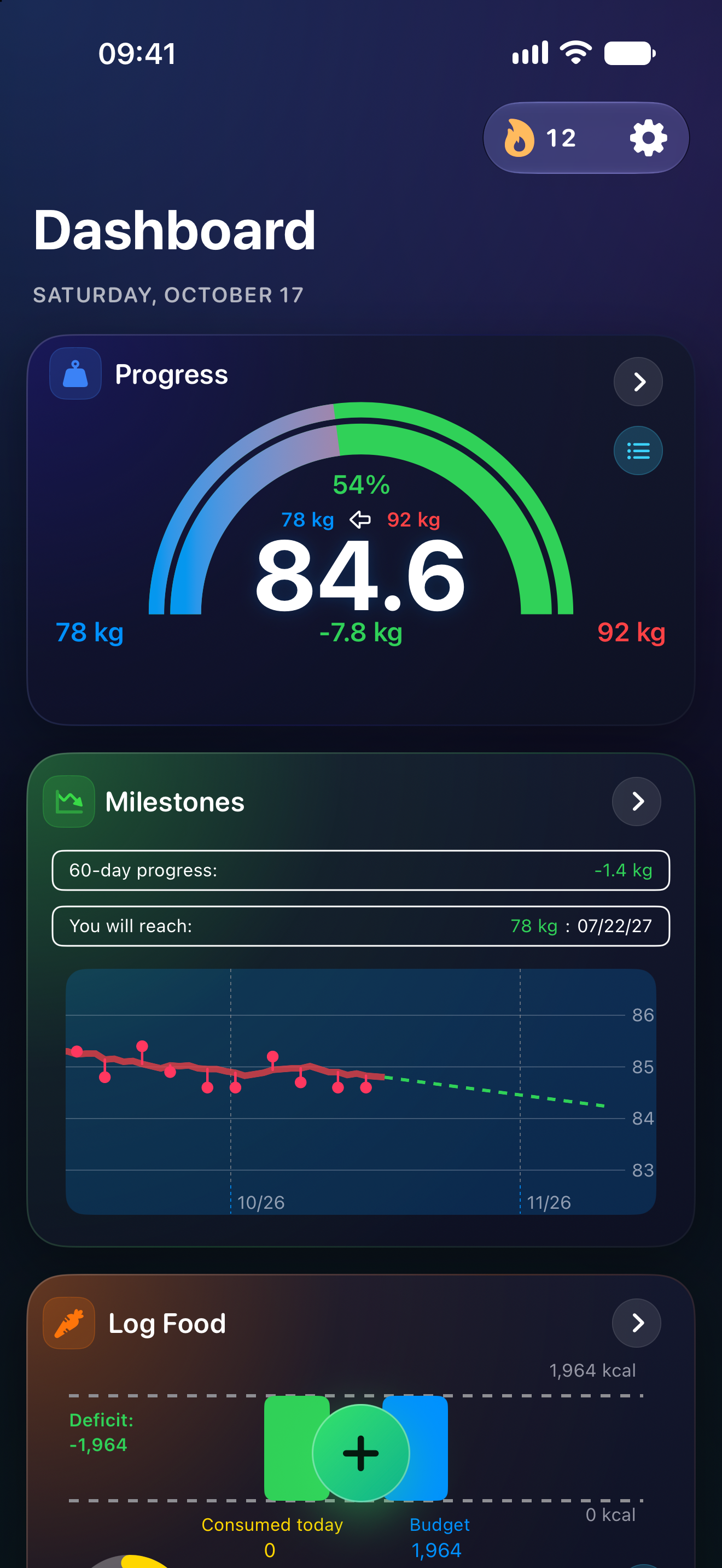
- 0:02“Your progress, at a glance” — the dashboard: the progress gauge, the Milestones chart and the Log Food card.
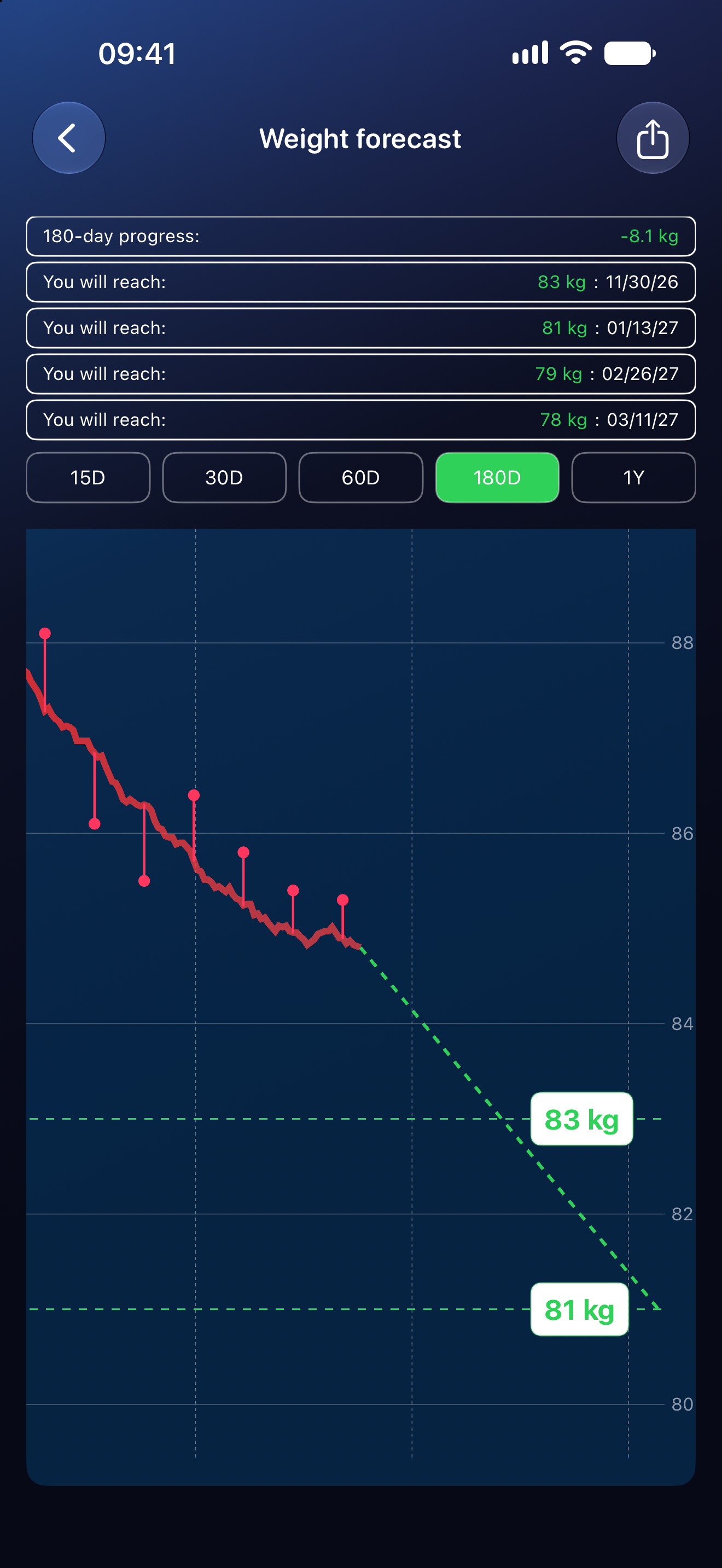
- 0:06“Your goal, with a date on it” — the weight forecast: the trend line continues to the next milestones, with the date for each.
- 0:09“Start a fast in one tap” — a fast in progress, with the Caloric Deficit and Body Mass Index cards.
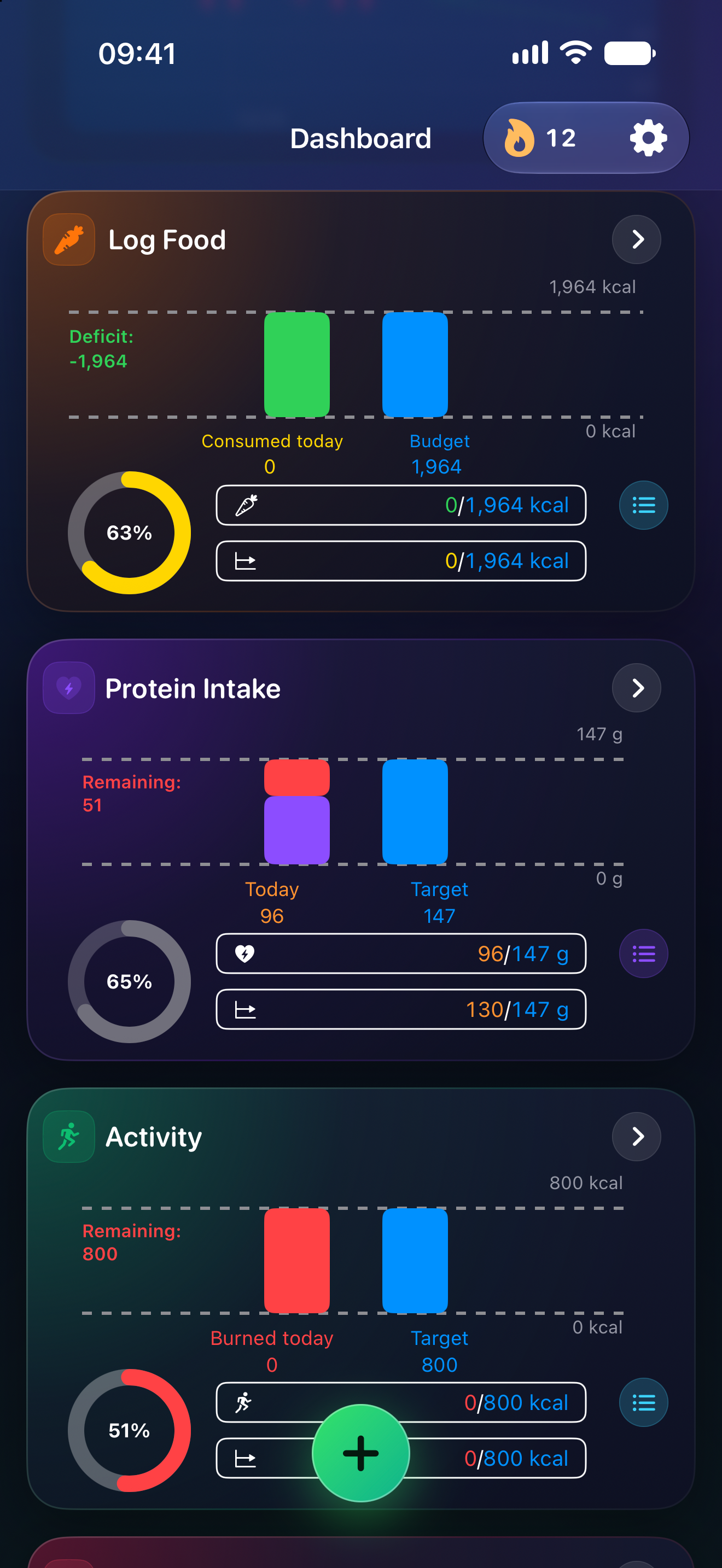
- 0:12“Calories, like a budget” — Log Food, Protein Intake and Activity against their targets.
- 0:15“Snap a meal, see if it fits” — an AI food scan result within the calorie budget, with its carbon footprint.
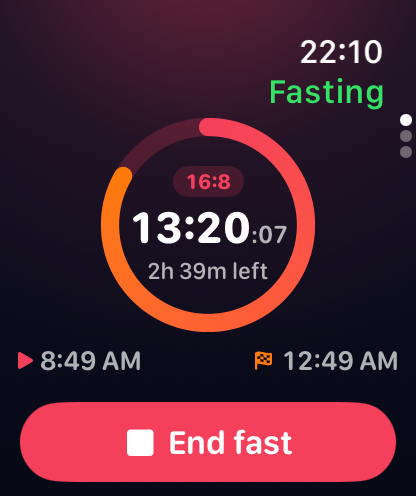
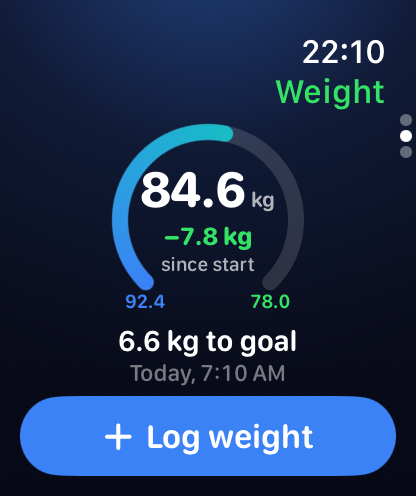
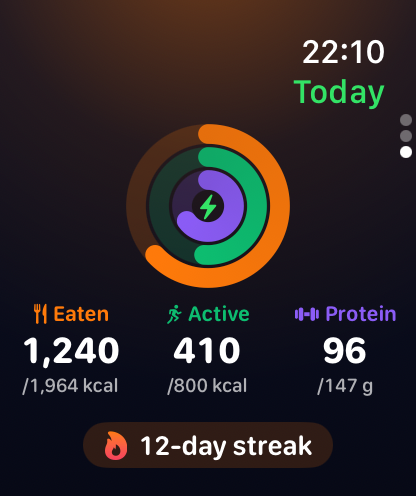
- 0:18“Right on your wrist” — the Apple Watch app's Fasting, Weight and Today pages.
- 0:21End card: LyteFast, “When will you reach your goal weight?”, on the App Store and Google Play, lytefast.com.
LyteFast When will you reach your goal weight?
LyteFast is an app for iPhone, iPad and Apple Watch — and for Android phones and Wear OS watches — that turns your weigh-ins into a forecast: it smooths out the day-to-day ups and downs and shows the date you should reach each milestone, next to a daily calorie budget, a fasting timer and AI food scanning.
On the App Store for iPhone, iPad and Apple Watch
Version 1.6 brings a new design, an Apple Watch app and iPad support.
Download on the App Store Get it on Google Play
- iPhone, iPad, Apple Watch and Android
- Works with Apple Health and Health Connect
- No account, no ads
The core principle
Your trend, not today's number
Body weight can move by a kilogram or more from one day to the next — water, salt, a late dinner. LyteFast never judges you on one weigh-in: it follows the direction of your weigh-ins and turns it into dates you can plan around.
The trend
The Milestones chart draws a trend line through your weigh-ins and continues it as a dotted line. The weight forecast reads off the date for each milestone, from 15 days to a year ahead.
The budget
Calories work like a budget: what you eat is counted against your daily target, what you burn is added to it, and the Caloric Deficit card shows the gap that moves the trend.
A forecast extends your recent trend; it is not a promise. When your habits change, the trend changes, and the dates move with it.
You will reach 81 kg on 11 March 2027.
Every meal you scan gets a plain verdict before you add it
- Within Calorie Budget — and how much is left after you eat it.
- Over Calorie Budget — so you can decide before you add it.
- Information only — always check the packaging.
In version 1.6
What LyteFast does
Every feature below is in the current version of the app. Where an estimate has limits, we say so.
-
Weight forecast
The Milestones chart smooths your weigh-ins into a trend and projects it forward: “You will reach” gives the date for each coming milestone. Zoom from 15 days to 30, 60, 180 days or a whole year.
A forecast extends your recent trend. It is an estimate, not a medical prediction.
Weight forecast -
Calorie budget, protein and deficit
Log Food compares what you eat with your daily budget, Activity adds what you burn, and Caloric Deficit turns both into the gap to your goal. Protein Intake has its own target, and the BMI screen shows where you stand.
Food, protein and activity -
Apple Health, scales and trackers
Weigh-ins from any smart scale that writes to Apple Health and the active energy from your Apple Watch or another tracker arrive on their own. No tracker? Add a weigh-in or one of 37 activity types by hand (60 on Android).
-
111 everyday foods
No photo needed: Add Food lists 111 common foods with their calories, a carbon footprint level, gluten status, glycemic index and a weight-loss score from 0 to 100.
-
AI food scan
AI Add-OnPhotograph a meal or describe it in a few words: LyteFast estimates its calories, protein, carbs and fat, its carbon footprint and its gluten status, and tells you whether it fits your budget before you accept it.
An estimate from a photo can be wrong — check it, and correct it if needed. Up to 25 photo scans and 100 text entries a day.
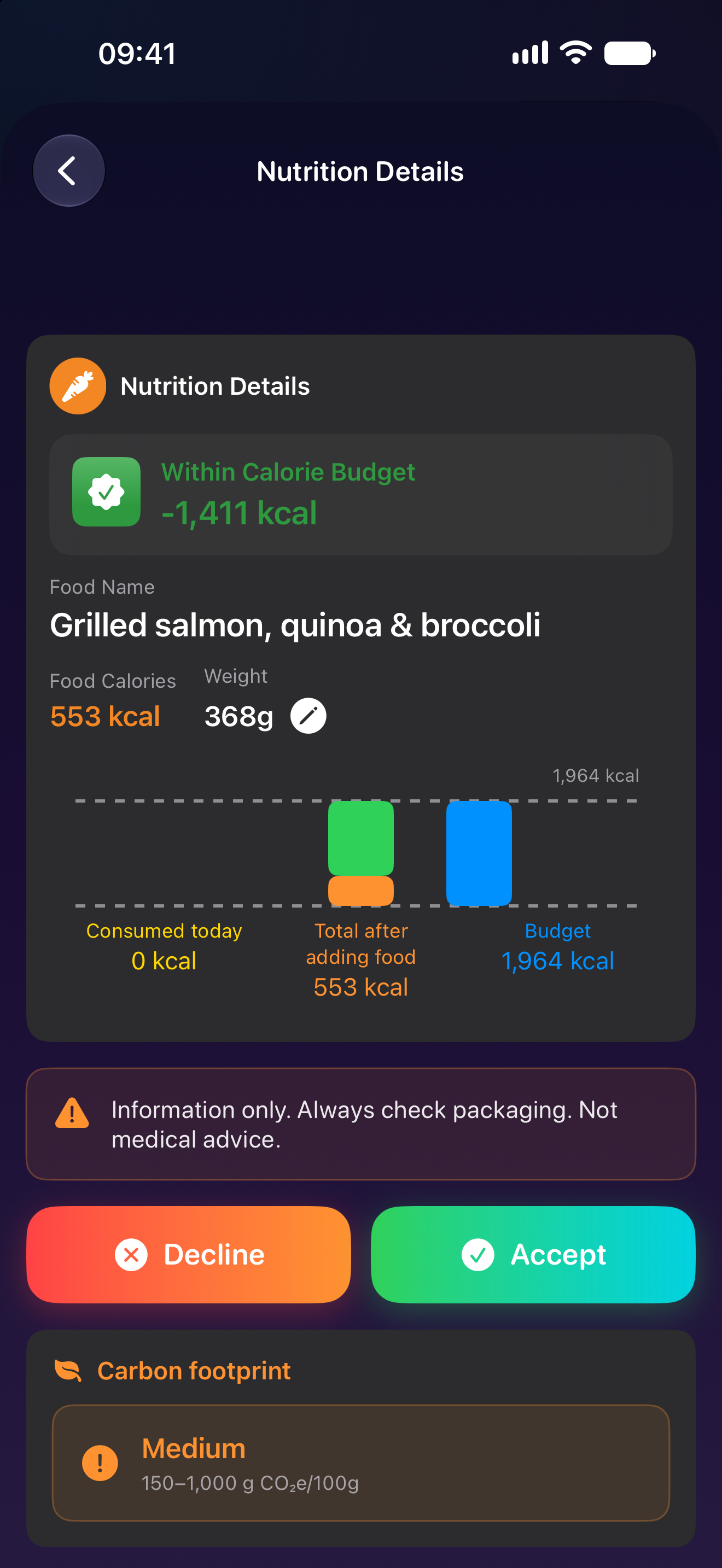
AI food scan result -
Barcode scanner
AI Add-OnScan a packaged food and LyteFast looks it up in Open Food Facts, then in the USDA database, with an AI estimate when neither knows the product. Gluten status included.
-
AI Muscle Rating
AI Add-OnFrom a photo, a score from 1 to 100 for eight muscle groups — pectorals, shoulders, biceps, triceps, forearms, legs, abs and back — an overall rating and a rank from Wood to Olympian, ready to share.
AI estimates for motivation, not a body-composition measurement. Up to 5 a day; send only photos of yourself.
-
Fasting timer
Start and end a fast in one tap, choose any window from 1 to 240 hours and get a notification when it is complete. The fasting chart keeps the history of your fasts.
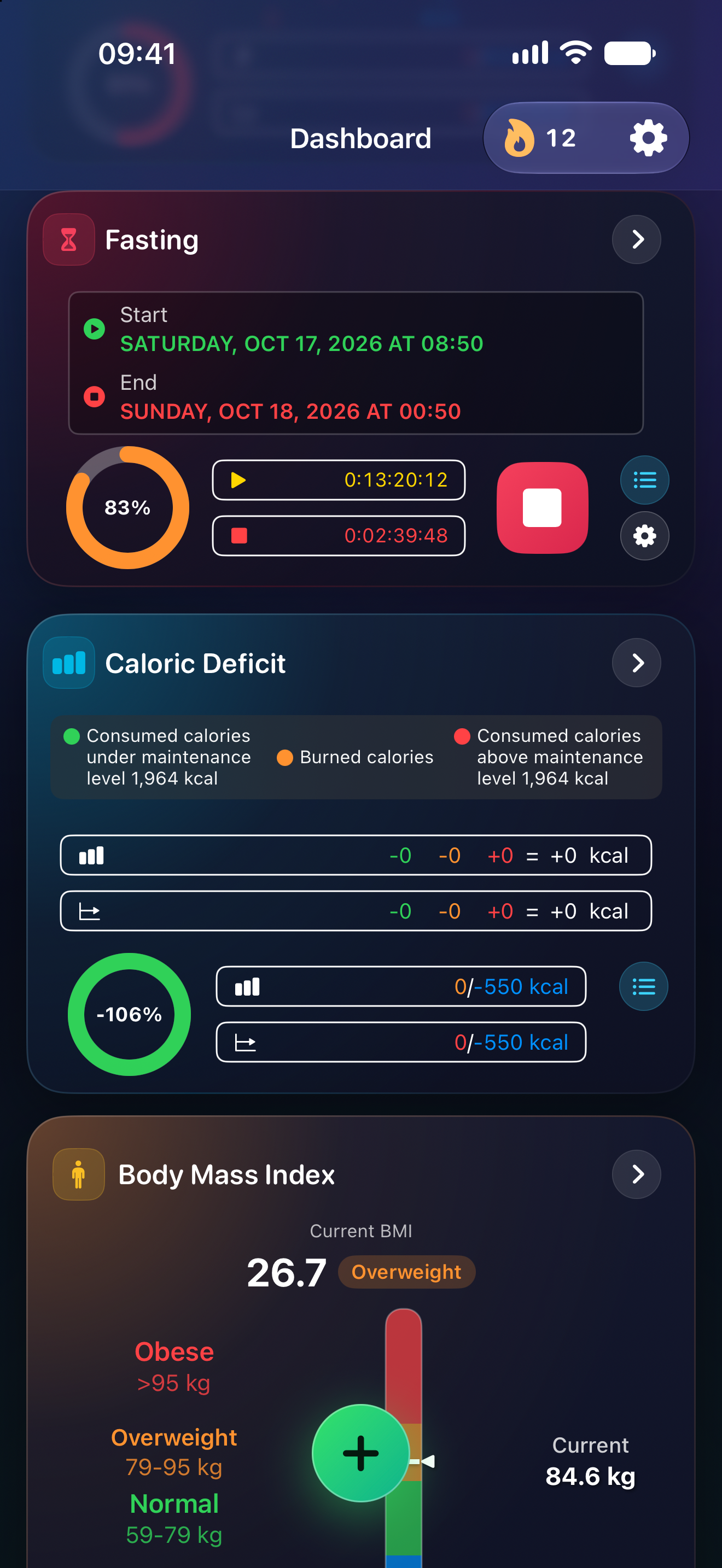
Fasting, deficit and BMI -
Body Preview
See an artistic preview of yourself at your goal weight, in two styles — More Muscle or Similar Texture — and compare before and after.
An illustration for motivation, not a prediction of how you will look. Needs a clothed photo; up to 10 previews a week.
-
Summer Plan and adherence
AI Add-OnAn eight-week Summer Body Program built on five pillars — intermittent fasting, caloric deficit, daily activity, protein-first nutrition and mindful, eco-friendly eating. Adherence shows how today's fasting, calories and activity line up with your plan.
The Summer Plan is part of the AI Add-On; Adherence is included in the subscription.
-
Apple Watch
New in 1.6Start and end a fast, log your weight with the Digital Crown and see today's calories against your budget, your active energy, protein and streak — from your wrist. Two complications put your fast and your weight on the watch face.
Needs LyteFast on a paired iPhone and watchOS 11 or later.
The three watch pages: Fasting, Weight and Today -
Every screen, your language
New in 1.6A new dark design in version 1.6: on iPad the dashboard lays its cards out in two or three columns, and it adapts to iPhone Duo. Choose from more than 90 languages on iPhone (English and French on Android) and kilograms, pounds or stone.
-
Also on Android
The Android version brings the dashboard, the weight forecast, the calorie budget, the fasting timer and the AI scans to Android phones, tablets and foldables, with a Wear OS app. It can save your weigh-ins to Health Connect.
-
Private by design
No account, no ads, no tracking and no third-party analytics. Your logs stay on your device, and your Apple Health data never leaves it through LyteFast. A photo or text you send to an AI feature goes out only when you use it, only to get that result.
A look at the app
Screens from LyteFast 1.6 on iPhone, with sample data.
-
Dashboard -
Weight forecast -
Fasting, deficit and BMI -
Food, protein and activity -
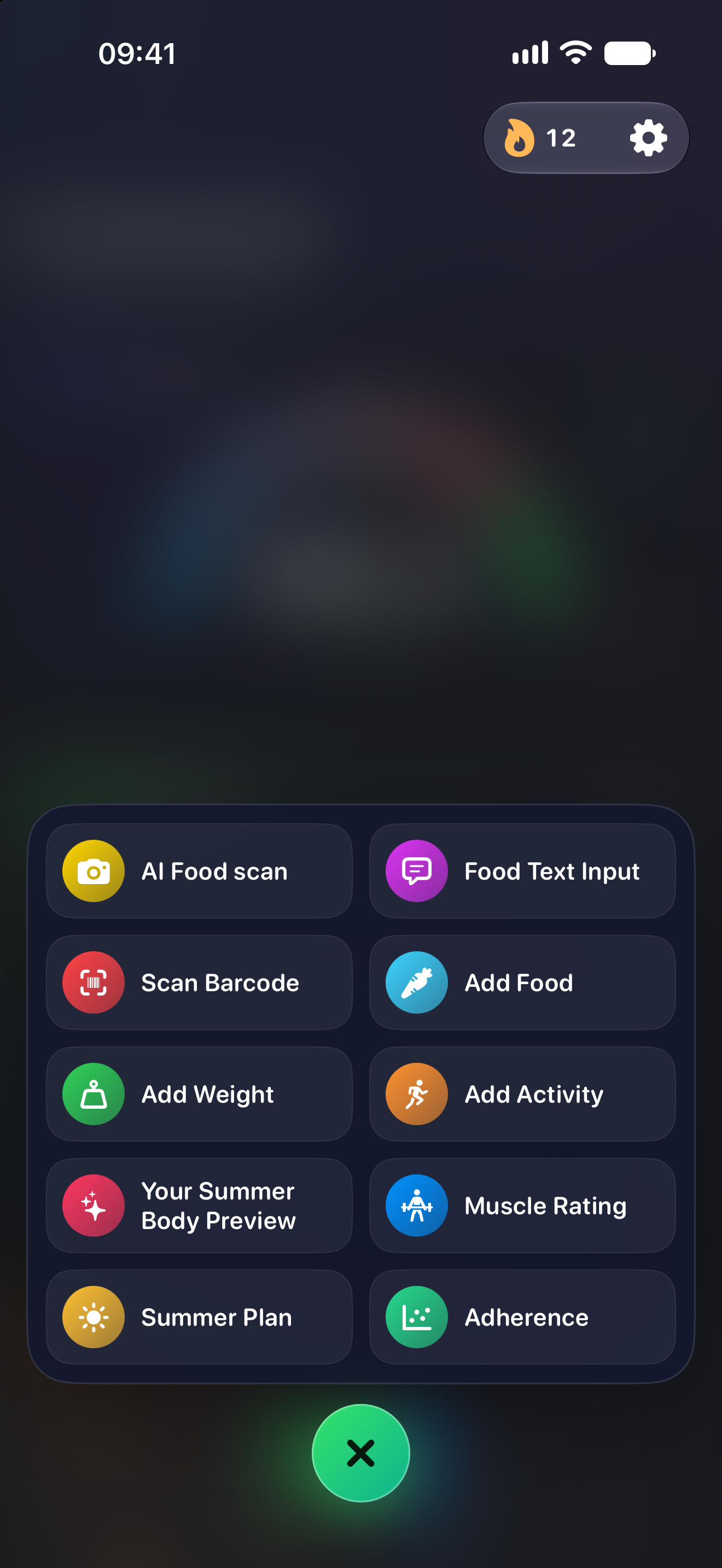
Quick add -
AI food scan result
Pricing
One subscription, one optional add-on
LyteFast is free to download. Using it needs a subscription — weekly, monthly or yearly on iPhone, weekly on Android — and eligible new subscribers start with a 3-day free trial on the weekly plan.
-
LyteFast subscription
Everything you need to follow your trend:
- Weight forecast and milestones
- Calorie budget, protein, deficit and BMI
- Fasting timer and history
- Apple Health sync and 111 everyday foods
- Body Preview, share cards and streaks
- The Apple Watch app
-
AI Add-On
On top of the subscription, weekly, monthly or yearly on iPhone, weekly on Android:
- AI food scan from a photo or text
- Barcode scanner
- AI Muscle Rating
- Summer Plan
-
Billed by Apple or Google
Prices in your currency are shown in the App Store or on Google Play, and in the app, before you buy. Subscriptions renew automatically unless you cancel at least 24 hours before the end of the period, in your Apple Account or Google Play settings. No ads, ever.
See your date
Download LyteFast — eligible new subscribers start with a 3-day free trial.